

On web:
Go to Account Information --> Retract your Informed Consent
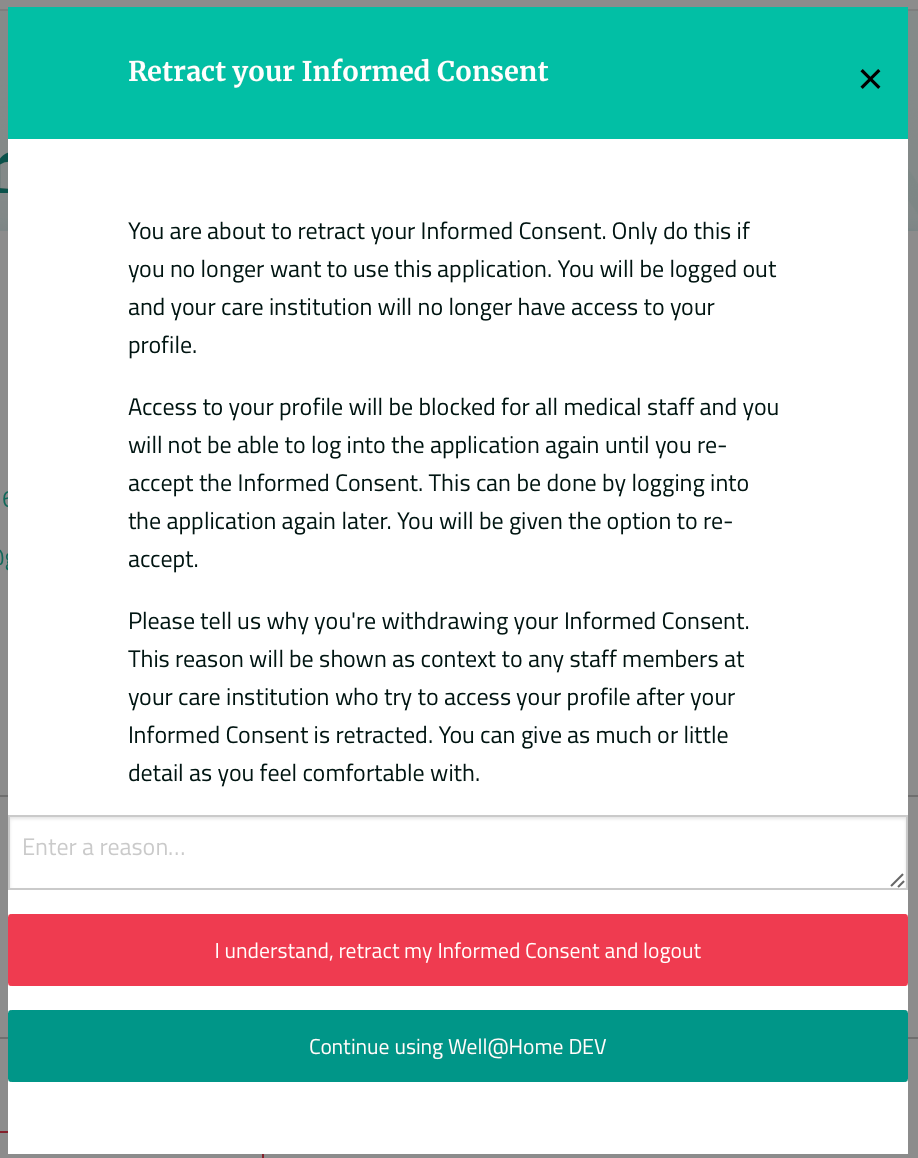
You will be asked to confirm your decision on the pop-up screen. We would appreciate you spending an extra couple of minutes to write a reason for your leaving the platform.
On app:
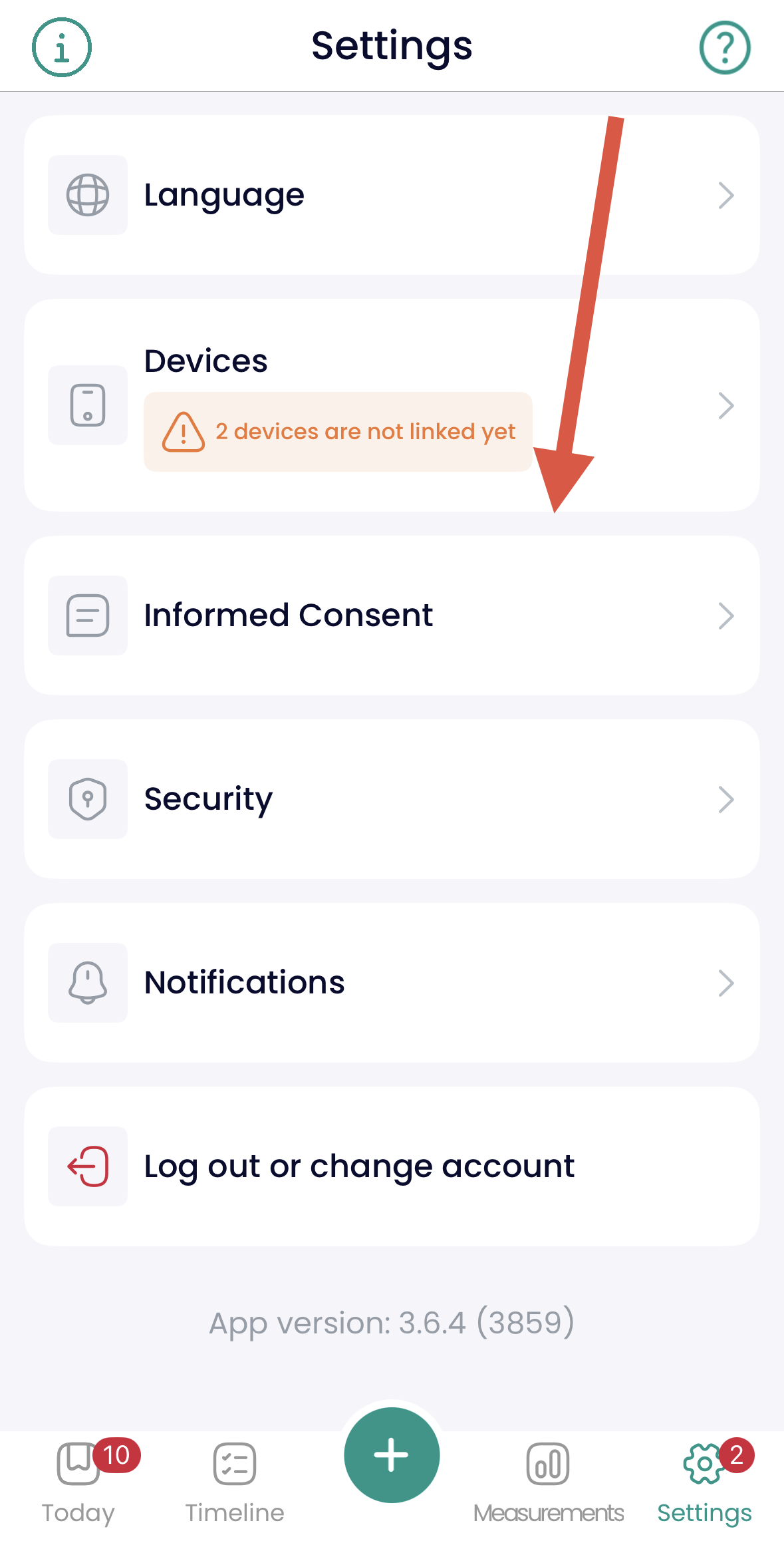
Go to Settings --> Informed Consent --> Retract your Informed Consent
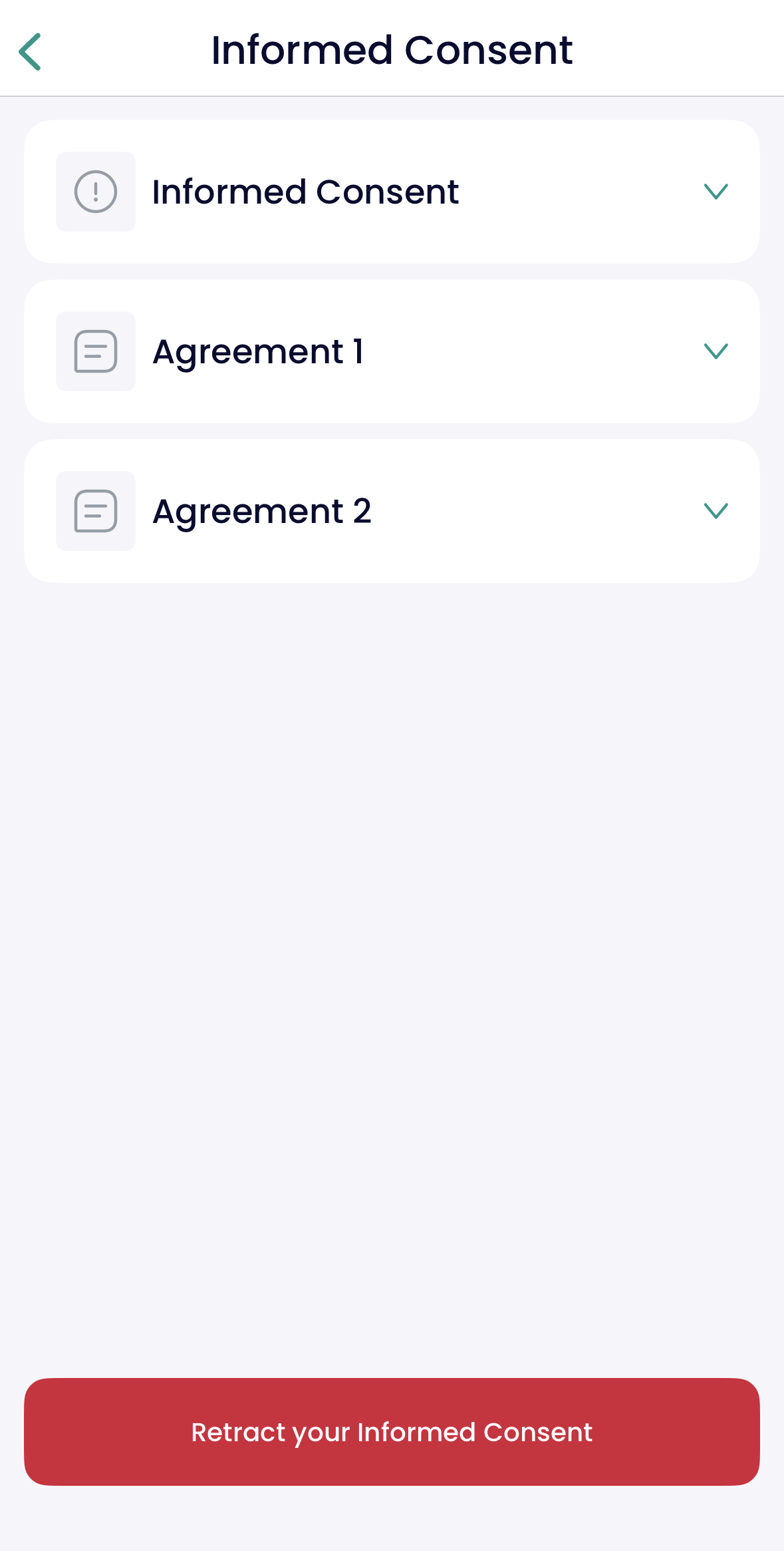
Please be informed, that you will be logged out and your care institution will no longer have access to your profile. Do this only if you no longer want to use the application.

Access to your profile will be blocked for all medical staff and you will not be able to log into the application again until you re-accept the Informed Consent. This can be done by logging into the application again later. You will be given the option to re-accept.